Android Security

2026


Pentesting Android Content Providers

·11 mins
Pentesting Content Providers # Content Providers are one of Android’s built-in ways for apps to share data with other apps. In practice, many of them sit in front of an SQLite database, but they can also expose files, app-specific actions, or custom logic through a content:// URI. Why does this matter? Because Android apps are normally sandboxed. App A should not be able to open App B’s private database or files directly. A Content Provider is one of the official ways an app can intentionally cross that boundary. If the provider is misconfigured or trusts untrusted input, it can accidentally give another app access to data it should never have had.

Insecure Storage in Android

·3 mins
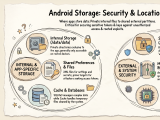
Insecure Storage in Android # Insecure storage is still one of the easiest ways to recover sensitive data from an Android app during a pentest. Even when an app has strong network protections, it may still expose tokens, cached responses, credentials, or personal data locally. This post is a quick guide to the main Android storage locations and what they mean from a security testing perspective. Shared Preferences # A key-value XML file that stores user preferences such as dark mode or light mode. They are also often used to store access tokens or other kinds of secrets. In itself, that is not an issue, but it makes shared preferences a very interesting target for stealing or overwriting internal files.