↓Skip to main content

Mobile Pentesting

2026


Android Permissions and Component Exposure

·6 mins
Android Permissions and Component Exposure # Permissions are the layer that decides who is allowed to talk to what on an Android device. During a pentest, this is usually where the interesting bugs live: an app that exports too much, a permission with the wrong protection level, or a receiver that trusts anyone who can send it an intent. This post walks through the pieces you should be checking in every engagement, from the manifest down to custom permissions. Exported vs Non-Exported Components # The strongest protection against a malicious app is simple: do not export the component in the first place.
Pentesting Android Services

·6 mins
Pentesting Android Services # Services are the Android component that runs long-lived work in the background. Think of an app that keeps uploading large files, plays audio while the UI is closed, or syncs data on a schedule. Like every other component, a Service has to be declared in AndroidManifest.xml under the <service> tag, and even when it is exported it can be locked down further with android:permission. Why does this matter? Because a Service is often the piece of the app that actually does the privileged work: talking to internal APIs, touching files, or moving data between processes. If another app can reach that Service from outside the sandbox, it can effectively borrow the victim app’s privileges to run those internal actions.

Pentesting Android Broadcast Receivers

·8 mins
Pentesting Broadcast Receivers # Broadcast Receivers are the Android components that let apps react to system-wide or app-wide events. When something happens in the background (a boot finishes, the network changes, an alarm fires, a widget updates) the system sends out a broadcast, and every app that registered for that broadcast event gets a chance to run code in its onReceive() method. The classic example is BOOT_COMPLETED. Once the boot sequence finishes, the system broadcasts that event to every app that asked to listen for it, which is how apps schedule background work as soon as the device is booted.

Reverse Engineering Android Malware Apps

·23 mins
Android Malware Analysis # The goal: Understand android APK malware analysis Learning points: Understand malware and analyze an Android RAT Static and dynamic analysis using JADX, apktool and android emulator Learn how to reverse android apps Understand different types of android malware: RAT vs stalkerware Understanding the different android components in relation to malware abuse Ahmyth app # This is the aplication we will analyze: https://ahmyth.com/. AhMyth is an open source Remote Access Trojan(RAT) developed for the Android operating system. Malware is anything that does some action the end user has not consented to and they run in the background stealing user data remotely.

Exploiting Android WebViews and Custom Tabs

·8 mins
Exploiting WebViews # WebViews and Custom Tabs let developers overlay browser functionality inside an app instead of navigating users out to an external browser. That convenience increases the attack surface in Android apps. If the WebView loads attacker-controlled URLs, executes untrusted JavaScript, or exposes native Java methods to the page, it can end up leaking private files or launching unexposed activities on the device. Why does this matter? A WebView is not just a UI widget. It is a mini-browser that runs inside your app’s sandbox, with access to your app’s files, cookies, and any Java objects you hand it. The moment an outside input reaches it, you are effectively giving the web a foothold inside the app process.

Pentesting Android Content Providers

·11 mins
Pentesting Content Providers # Content Providers are one of Android’s built-in ways for apps to share data with other apps. In practice, many of them sit in front of an SQLite database, but they can also expose files, app-specific actions, or custom logic through a content:// URI. Why does this matter? Because Android apps are normally sandboxed. App A should not be able to open App B’s private database or files directly. A Content Provider is one of the official ways an app can intentionally cross that boundary. If the provider is misconfigured or trusts untrusted input, it can accidentally give another app access to data it should never have had.

Insecure Storage in Android

·3 mins
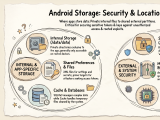
Insecure Storage in Android # Insecure storage is still one of the easiest ways to recover sensitive data from an Android app during a pentest. Even when an app has strong network protections, it may still expose tokens, cached responses, credentials, or personal data locally. This post is a quick guide to the main Android storage locations and what they mean from a security testing perspective. Shared Preferences # A key-value XML file that stores user preferences such as dark mode or light mode. They are also often used to store access tokens or other kinds of secrets. In itself, that is not an issue, but it makes shared preferences a very interesting target for stealing or overwriting internal files.